Basics
When You Should Never Use a Temporary Email
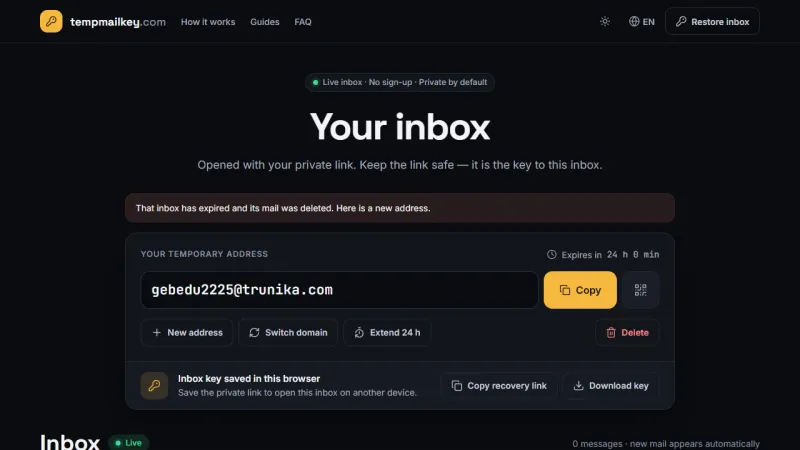
Temporary email is a great tool. It keeps marketing lists, leaks and trackers away from your real inbox, and it costs you nothing but a click. But it has one built-in feature that makes it the wrong choice for some things: it goes away.
On tempmailkey an inbox lasts 24 hours (you can extend it up to 7 days), and each email is deleted 24 hours after it arrives. That's perfect for a one-time code. It's a disaster for an account you need next year.
Here are the places where you should always use your real email — or a permanent alias that forwards to it.
The one rule behind all of this
If losing access to the account would hurt, don't use a temporary email.
Almost every account uses your email address as the "back door": password resets, new-device logins, security warnings and important notices all go there. When that inbox disappears, the back door is bricked up. Everything below is just this rule applied to real life.
1. Banks, payments and anything with money
Bank accounts, credit cards, payment apps, crypto exchanges, investment accounts, loan applications — never. You need fraud alerts, statements and login codes to reach you, every time. Many financial services refuse disposable addresses anyway, and that's for your protection as much as theirs.
2. Taxes and government services
Tax portals, benefits, licences, passports and visas, voting registration, court or council services. These send deadlines and official decisions by email. Missing one can cost money or time, and proving who you are to recover such an account is slow.
3. Healthcare
Doctors, hospitals, pharmacies, insurance, test results and therapy apps. Health information is sensitive and the messages matter. A temporary inbox is also simply not the place for medical documents: tempmailkey doesn't store attachments, and you wouldn't want it to.
4. Accounts you want to keep
This is the one that catches people out. It doesn't feel important when you sign up, but it becomes important later:
- Your main social media — the account with years of photos and contacts.
- Shops you buy from again — order history, returns and warranties depend on it.
- Streaming, cloud storage and paid apps — anything with a subscription or your files.
- Games and platforms where you buy things — purchases are tied to the account.
If there's a chance you'll still use it in a few months, start with a permanent address.
5. Anything that may need a password reset
Even "small" accounts can matter if you'll return to them. If you might forget the password, you'll need the reset email. After the temporary inbox expires, that email has nowhere to go — the address no longer accepts mail (more on what happens when a temporary email expires).
If you used temp mail and later decide to keep the account, change its email in the account settings before the temporary inbox expires.
6. Work and school
Work tools, job applications, recruiters, school portals and online exams. People need to reach you, and you represent yourself or your employer. Use your work, school or personal address.
7. Purchases, tickets and bookings
Flights, hotels, event tickets, rental cars and online orders often send the ticket, booking reference or receipt only by email — and you may need it weeks later at a gate or a front desk. A temporary inbox will have deleted it long before then.
8. Two-factor and account recovery settings
Never set a temporary address as the recovery email for another account, or as the destination for login codes. It turns your safety net into a trap door.
9. Anything that breaks a site's rules
Temp mail is for privacy and keeping spam out of your inbox. It is not a tool for getting around a site's rules — making many accounts, repeating free trials, or dodging a ban. Apart from being unfair, accounts made that way tend to be closed, and anything in them is lost.
At a glance
| Situation | Temp mail | Alias | Real email |
|---|---|---|---|
| Bank, payments, investments | No | No | Yes |
| Taxes, government, healthcare | No | No | Yes |
| Work, school, job applications | No | No | Yes |
| Shop you buy from again | No | Yes | Yes |
| Streaming or paid apps | No | Yes | Yes |
| Flights, hotels, event tickets | No | Yes | Yes |
| One-time download or coupon | Yes | Yes | — |
| Trying an app once | Yes | Yes | — |
| Wi-Fi login page | Yes | Yes | — |
Where temporary email is the right choice
So when is it a good idea? Whenever you need an address once and never want to hear from that sender again:
- One-time downloads, e-books and "enter your email to continue" walls.
- Coupon pop-ups for a shop you'll visit once.
- Trying an app or website before deciding whether it deserves your real email.
- Forums or comment sections you'll read once.
- Wi-Fi login pages in public places.
- Developers testing sign-up and reset emails.
For those, temp mail is faster and cleaner than any alternative. If you're unsure whether it's safe for your situation, our guide Is temporary email safe? walks through what it protects you from and what it doesn't.
In between? Use an alias
Some accounts sit in the middle: you want to keep them, but you don't trust the company with your real address. That's exactly what email aliases are for — permanent forwarding addresses that you can switch off. We compare them in Temp mail vs. email alias vs. Gmail "+" addresses.
If you already used temp mail for something important
- Log in now, while the account still works.
- Change the email to your real address or a permanent alias in the account settings.
- Confirm the change. Many sites send a code to the old address first — open your temporary inbox to get it. On tempmailkey, use your private link if you're on another device.
- If the temporary inbox has already expired, look for other recovery options the site offers (a phone number, a support form). There's no guarantee they exist.
Data breaches are another reason to keep important accounts tidy. The UK's National Cyber Security Centre has practical guidance on what to do after a data breach.
For the spam that already reaches your real inbox, the FTC explains how to get less spam in your email.
The bottom line
Temporary email is for one-time things. Your real email is for things that matter. Keep those two worlds apart and you get the best of both: a quiet inbox and accounts you never lose.