Basics
Temp Mail vs. Email Alias vs. Gmail "+" Addresses: Which One Should You Use?
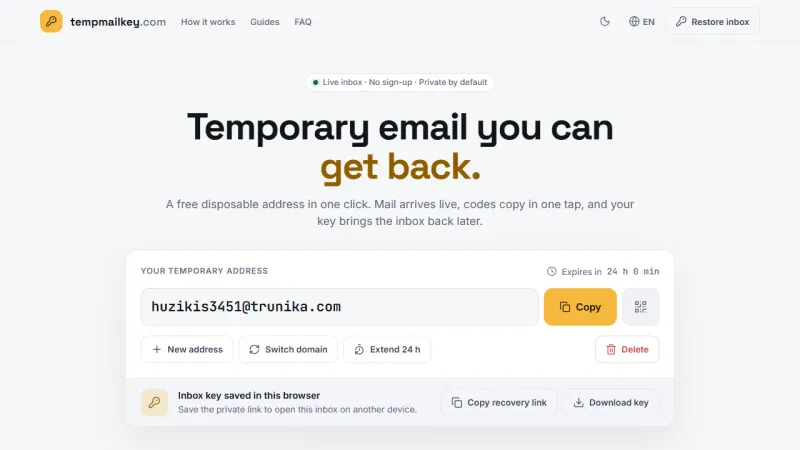
There are three popular ways to avoid handing your real email address to every website: temporary email, email aliases, and "+" addresses like the Gmail plus trick. They are often mentioned together, but they solve different problems. Picking the wrong one is how people end up locked out of an account — or still drowning in newsletters.
Here's how each works, what it's good at, and a quick way to choose.
The short version
| Temp mail | Email alias | Gmail "+" address | |
|---|---|---|---|
| Setup | None — ready instantly | An account with an alias service or your mail provider | None — add +word to your Gmail address |
| Hides your real address | Yes | Yes | No — your real address is visible |
| Where mail goes | Its own inbox, separate from yours | Your real inbox | Your real inbox |
| How long it lasts | Hours to days (tempmailkey: 24 h, extendable to 7 days) | Until you turn it off | Forever |
| Stopping unwanted mail | It stops by itself when the inbox expires | Turn that alias off | Only filters — the sender can drop the "+" |
| Can you reply? | No (tempmailkey is receive-only) | Often yes, depending on the service | Yes, from your real address |
| Best for | One-time sign-ups and tests | Accounts you keep but want to protect | Sorting mail from sites you trust |
Temporary email
A temporary email gives you a brand-new address with its own inbox, instantly, with no account. Mail arrives on a web page, and after a set time the address stops working.
How it works on tempmailkey: open the site, press Copy, paste the address into the form. The verification email shows up live, often within seconds, with the code ready to copy. Each email is deleted 24 hours after it arrives. The inbox lasts 24 hours and can be extended up to 7 days — here is what happens when a temporary inbox expires.
Good for:
- Sign-ups you're not sure about: a forum, an app, a website you're trying once.
- Downloads, coupons and "enter your email to continue" walls.
- Wi-Fi login pages in cafés, airports and hotels.
- Developers testing sign-up and password-reset emails.
Not good for: anything you need to keep. When the inbox is gone, password resets and receipts have nowhere to go. See when you should never use a temporary email.
Email aliases (masks)
An email alias — some services call it a mask — is a separate address that forwards to your real inbox. You can create one per website. If one starts getting spam, you switch off just that alias, and the rest keep working.
Popular examples:
- Hide My Email from Apple, part of iCloud+ and Sign in with Apple. Apple's guide explains how to create random addresses that forward to your inbox.
- Firefox Relay from Mozilla, which calls them email masks. The free plan has a limited number of masks.
- DuckDuckGo Email Protection and SimpleLogin work in a similar way.
- Some mail providers also let you add aliases to your own account.
Good for: accounts you plan to keep but don't fully trust — shops, streaming services, apps, newsletters you actually read. You still get receipts and password resets, and you can still cut off a leaky sender.
Downsides:
- You need an account with the alias service, and some features cost money.
- All the mail still lands in your real inbox until you turn the alias off.
- If the alias service shuts down or you cancel it, accounts tied to those aliases can be hard to recover. Keep a list of which alias you used where.
Gmail "+" addresses
If your address is alex@gmail.com, mail sent to alex+shop@gmail.com or alex+news@gmail.com still arrives in your inbox. Several other mail providers support the same idea.
It is handy for sorting: you can make a filter that labels or archives everything sent to alex+news (Gmail explains how to create filters). And if spam suddenly arrives at alex+shop, you know which site shared your address.
But it doesn't hide anything. Your real address is right there in front of the "+". A spammer — or a list cleaner — can simply delete the "+shop" part and write to alex@gmail.com. You can't switch a plus address off; you can only filter it. Some sites also reject addresses with a "+" or remove it.
A related Gmail detail: dots don't matter in Gmail addresses, so a.lex@gmail.com reaches the same inbox. That's useful to know, but it is not a privacy feature either.
How to choose: three questions
1. Will I need this account in a month? No → temp mail. Yes → keep going.
2. Could I lose money, data or access if I lose this account? Yes → your real email (banks, tax, health, work, your main accounts). No → keep going.
3. Do I want to hide my real address from this site? Yes → an email alias. No, I just want tidy folders → a "+" address.
Real-life examples
A recipe site wants your email before showing the full recipe. You'll never come back. → Temp mail. Copy, paste, read the recipe, forget it.
You're joining a streaming service you'll pay for every month. You need billing emails and password resets for years. → Your real email, or an alias if you'd rather the company not have your real address.
An online shop offers 10% off for your email, and you shop there often. You want the order emails and returns to work. → An alias. If the shop starts sending too much, switch the alias off and give them a new one.
A shop you'll buy from once offers the same discount. → Temp mail works, but think about the receipt: if you might need it for a return, use an alias instead.
You subscribe to a newsletter you like from a small writer.
You trust them and want to read it. → A "+" address (like alex+letters@gmail.com) makes it easy to filter into its own folder.
You're a developer testing your app's sign-up flow twenty times a day. → Temp mail. A fresh inbox for every test run, nothing to clean up.
A setup that works for most people
You don't have to pick only one. A sensible mix:
- Real email for banking, government, health, work and your most important accounts.
- Aliases for shops, subscriptions and apps you keep.
- Temporary email for everything you'd otherwise regret: one-time downloads, coupon pop-ups, quick tests, Wi-Fi logins.
The temporary part takes no setup at all. When the next "enter your email to continue" box appears, open tempmailkey, copy the address, and move on — your real inbox never hears about it.
Wondering how safe that is? Our guide Is temporary email safe? covers what it protects you from, and what it doesn't.