Basics
Is Temporary Email Safe? What It Protects You From (and What It Doesn't)
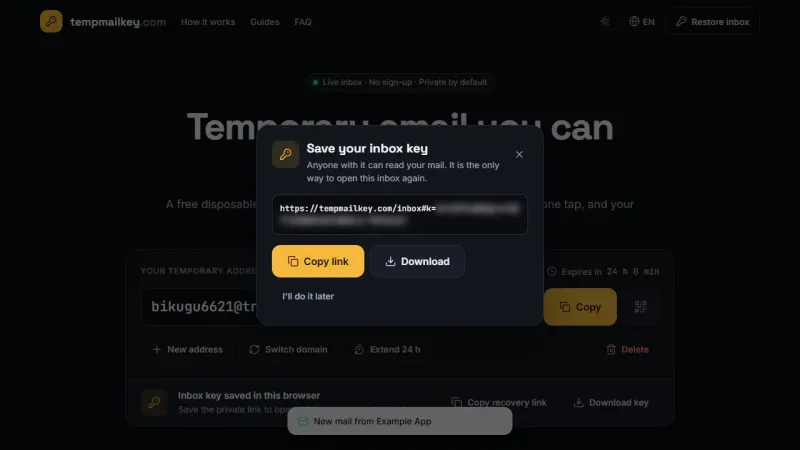
Every sign-up form wants your email address. A newsletter, a coupon, a forum you'll visit once, a Wi-Fi login page at the airport. Each one is a small risk: more marketing mail, your address sold or leaked, or a tracking pixel that reports when you read their emails.
A temporary email address is one way to say "no thanks" without walking away. But is it actually safe? The honest answer: it depends on what you use it for. This guide explains what temp mail really protects you from, where it falls short, and a simple rule for deciding.
What a temporary email is (in one paragraph)
A temporary email is a real, working address that you get instantly, without signing up. Mail sent to it arrives on a web page instead of your personal inbox, and after a while the address stops working. People also call it disposable email, throwaway email or temp mail. If you want the longer explanation, read What is temp mail?.
What temporary email protects you from
1. Marketing spam in your real inbox
This is the main reason people use it. When a site adds you to a mailing list, the mail goes to an inbox you will soon forget. Your personal inbox never sees it. On tempmailkey, each email is deleted 24 hours after it arrives, so there is nothing to clean up either.
2. Your address being sold, shared or leaked
Many sites share or sell email lists, and some get breached. The US Federal Trade Commission notes that a company you give your email to may share or sell it to third parties. If the address you gave them was temporary, a leaked list contains an address that leads nowhere.
This matters more than it sounds. Your real email address is often the username for your important accounts. The fewer places it appears, the less useful it is to anyone trying to break into those accounts.
3. Tracking pixels and "read receipts"
Many marketing emails contain tiny remote images. When your mail app loads them, the sender learns that you opened the email, when, and roughly where.
On tempmailkey, remote images are blocked until you choose to load them, so senders can't see when you open their mail. Emails are also shown in a locked-down frame where scripts can't run.
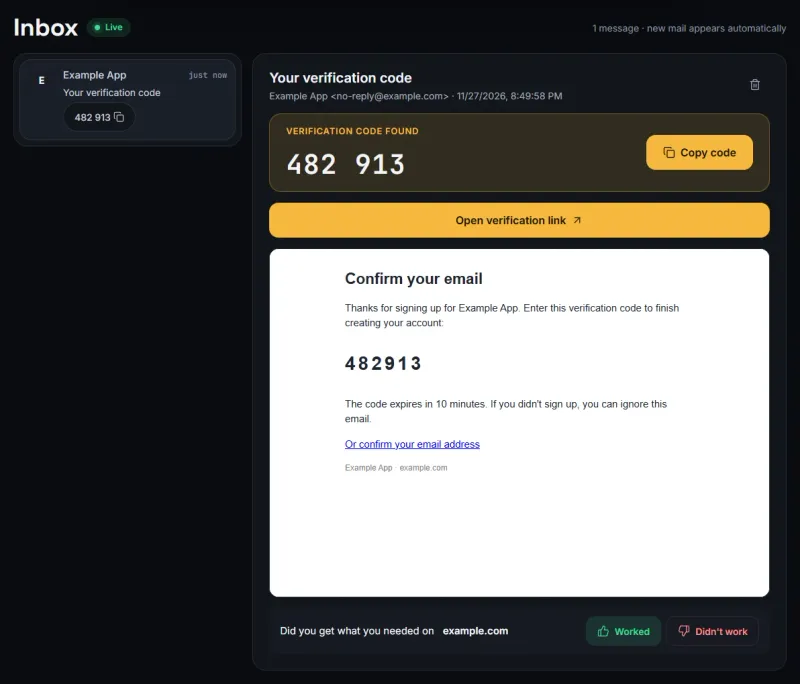
A verification email opened in tempmailkey. The code is picked out and ready to copy; the email itself is shown in a locked-down frame.
4. Being linked across sites
If you use the same real address everywhere, every site (and every data broker that buys their lists) can connect your accounts into one profile. A different throwaway address for each one-time sign-up breaks that link.
What temporary email does NOT protect you from
Being honest about the limits is what makes temp mail safe to use. Here is what it can't do.
It doesn't make you anonymous
Temp mail hides your email address, nothing else. The website still sees your IP address, your browser and everything you type into its forms. If you enter your real name and phone number, the site has your real name and phone number.
It doesn't protect accounts you need to keep
This is the big one. If you sign up for something important with a temporary address, you are tying that account to an inbox that will disappear. Later, when you forget your password, the reset email has nowhere to go. We wrote a whole guide on this: When you should never use a temporary email.
It doesn't stop phishing on its own
A scam email can land in a temporary inbox just like anywhere else. The usual rules still apply: be suspicious of urgent messages, don't click links you didn't expect, and never type a password on a page you reached from an email. The FTC has a clear guide on how to recognize and avoid phishing scams.
It isn't a place for sensitive documents
Don't use a temporary inbox for anything sensitive: ID documents, medical letters, contracts, or anything with financial details. On tempmailkey, attachments aren't stored at all — you see the file names, but not the files.
Public vs. private temporary inboxes
Not all temporary email services work the same way. With some services, anyone who types in the same address can read that inbox. If someone guesses or reuses "your" address, they see your mail — including any verification code or login link in it.
tempmailkey is built to be private by default:
- Only the inbox key opens the inbox. Knowing the address is not enough.
- We store only a one-way hash of your key, never the key itself.
- Addresses are never recycled. Once an address has been used, it stays reserved forever, so nobody else can ever receive mail meant for you (see what happens when a temporary email expires).
- Temporary inboxes can't send email. They are receive-only. The only emails we send are replies from support@tempmailkey.com to people who contacted us.
- We don't save your IP address in our database.
The key is also what lets you come back. Your browser remembers your recent inboxes, and you can save a private link or download the key as a small file to open the same inbox on another device. Just keep that link to yourself: anyone who has it can read your mail.
A simple rule: would losing it hurt?
Before you paste a temporary address into a form, ask one question: if I lost access to this account tomorrow, would it hurt?
- No → a temporary email is a great choice. Think one-time downloads, coupon codes, trying an app, a forum you'll read once, a Wi-Fi login page.
- Yes → use your real email, or a permanent email alias that forwards to it. Think banking, shopping accounts with your order history, work tools, your main social media, anything with your money or your health.
If you're not sure what the difference between a temp address and an alias is, see Temp mail vs. email alias vs. Gmail "+" addresses.
How to use temporary email safely
- Use it only for low-stakes sign-ups. Apply the "would losing it hurt?" rule above.
- Don't enter more personal details than the site needs. A throwaway address doesn't help if you type your home address into the next field.
- Copy codes, don't type them. On tempmailkey, press Copy code or Open verification link — it is faster and avoids mistakes.
- Save your private link only if you'll need the inbox again. Some sites send a second email hours later. If you save the link, keep it private.
- On a shared computer, delete the inbox when you're done. Press Delete in the address box. All its mail is deleted right away and the key stops working.
- Move important accounts to a permanent address. If a "quick test" turns into an account you care about, change its email in the site's settings before the temporary inbox expires.
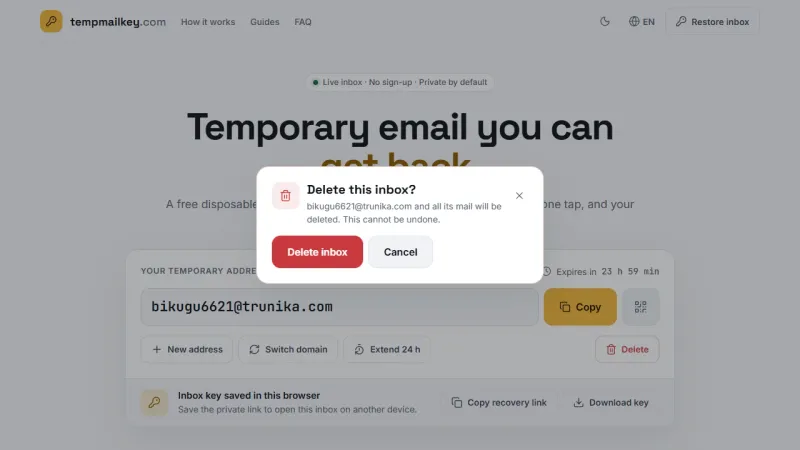
Deleting an inbox removes all its mail immediately. The address stays reserved, so it is never given to someone else.
The bottom line
Temporary email is safe for what it is designed for: keeping your real address out of places that don't deserve it. It cuts down spam, limits the damage of leaks, and blocks a lot of tracking. It is not a secure vault, not a way to be anonymous, and not a home for accounts you need to keep.
Use it for the one-time stuff, and give your real address only to the services you actually trust.