Basics
What Happens to a Temporary Email After It Expires?
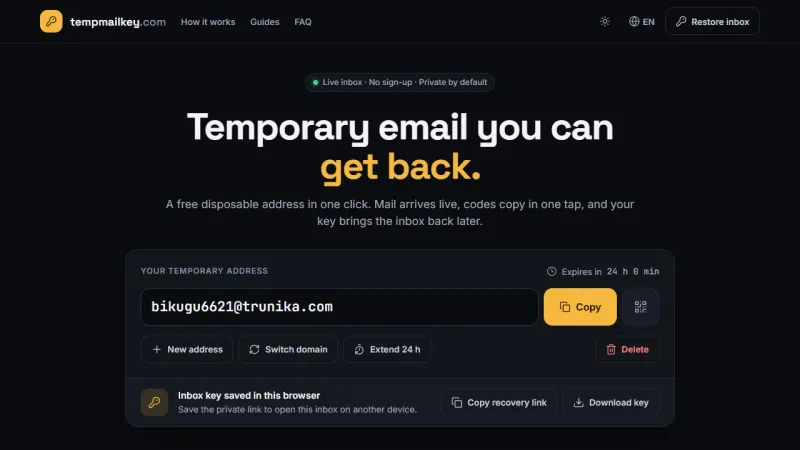
Temporary email is supposed to disappear — that's the point. But "disappear" can mean different things, and the details matter. Can someone else take over your old address? Are your emails still sitting on a server somewhere? What if a site sends something after the inbox is gone?
This guide walks through exactly what happens on tempmailkey, from the moment you open an inbox to the moment it's gone for good. Other services work differently, so if you use one, check its rules too.
The timeline
| When | What happens |
|---|---|
| You open tempmailkey | A new private inbox is created, with its own secret key. It's set to last 24 hours. |
| An email arrives | It shows up live in the inbox. A 24-hour countdown starts for that email. |
| 24 hours after an email arrived | That email is deleted — even if the inbox is still open. |
| You press Extend 24 h | The inbox gets 24 more hours, up to a maximum of 7 days after it was created. |
| The inbox expires | It can't be opened anymore, not even with its key. New mail to the address is refused. |
| Forever after | The address stays reserved. It is never given to anyone else. |
There are two clocks: one for each email (24 hours after it arrives) and one for the inbox (24 hours, extendable to 7 days). An email never outlives its 24 hours, even in an inbox you've extended.
What happens to your emails
Every email is deleted 24 hours after it arrives. This happens automatically; you don't need to do anything.
When the inbox itself expires, you lose access to whatever is left in it, and those remaining emails are deleted on the same 24-hour schedule. Nobody can read them in between — the inbox can't be opened anymore.
If you delete the inbox yourself (the Delete button in the address box), all of its mail is deleted immediately.
Some things were never stored in the first place:
- Attachments. You see their names, but the files aren't kept.
- Remote images. They're blocked until you choose to load them, so they're fetched only if you ask.
- Your IP address. We don't save it in our database.
What happens to the address
This is where temp mail services differ the most. On some services, addresses are shared or reused: when one person is done, the next person can get the same address and read whatever arrives — including password-reset links meant for the first person.
On tempmailkey, addresses are never recycled. Once an address has been used, it stays reserved forever. After your inbox expires, mail to that address is refused, and nobody can ever receive it. That matters if you forget that you once used the address somewhere: a later email from that site can't fall into someone else's hands.
This is also a key difference from email aliases. An alias is meant to last: Apple, for example, lets you stop using and later reactivate a Hide My Email address. A temporary inbox is meant to end — once it's closed, it stays closed.
What happens to your inbox key
Every tempmailkey inbox has a secret inbox key. It's the only thing that opens the inbox, and it's what lets you come back later — on the same device, your browser remembers your recent inboxes; on another device, you can use the private link or key file you saved.
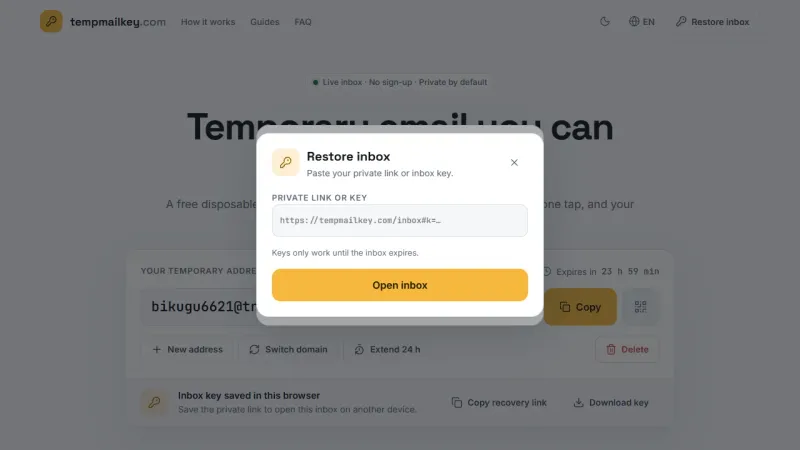
Restore inbox opens an inbox from its private link or key — but only while the inbox is still active.
After the inbox expires, the key stops opening it. If you open an old private link, you'll see that the inbox has expired, and tempmailkey gives you a fresh address instead.
We store only a one-way hash of the key, never the key itself. That's good for your privacy, but it also means we can't recover a lost key for you.
What happens to accounts you made with it
The website you signed up on doesn't know the address was temporary. Your account there keeps existing, with the temporary address on file. That works fine — until the site needs to email you:
- Password reset: the email is refused, so you can't reset by email.
- Security alerts and "new login" codes: you won't receive them.
- Receipts and notices: gone.
If the account turned out to matter, change its email address in the account settings before the temporary inbox expires. Our guide When you should never use a temporary email covers which accounts deserve a permanent address from the start.
How to keep an inbox longer
Sometimes a site sends a second email hours later, or you need a few days to finish something (and if an email never shows up at all, try these fixes for a verification email that isn't arriving). You can stretch an inbox up to 7 days:
- Press Extend 24 h in the address box. Each press adds 24 hours, up to 7 days after the inbox was created. The time left is shown at the top of the address box.
- Save your private link — press Copy recovery link or Download key. You'll need it if you come back on another device or after clearing your browser data.
- Copy anything important out of the emails, such as a code or booking reference. Remember that each email is still deleted 24 hours after it arrives.
Keep the private link to yourself: anyone who has it can read the inbox while it's active.
How to make it disappear sooner
Done with an inbox? You don't have to wait. Press Delete in the address box and confirm. All of its mail is deleted at once, the key stops working, and the address stays reserved so it's never reused. On a shared computer, this is a good habit.
The bottom line
When a tempmailkey inbox expires, it's closed for good: its key no longer opens it, new mail is refused, and every email is deleted on its 24-hour schedule. The address is never handed to anyone else. If you need more time, extend the inbox before it runs out — and give your real email to anything you'll need long-term.
Want to try it? Get a temporary address — it's ready before you finish reading this sentence.
Not sure temp mail is the right tool for your sign-up? Read Is temporary email safe?